I’ve been invited to contribute to this month’s Swift Blog Carnival. The theme being “When did SwiftUI leave you hanging?”
tl;dr: SwiftUI is just too incomplete, inflexible and inextensible. It’s also great and that’s what makes this so frustrating.
 I probably spend too much time complaining on my blog and social media about all things Apple development. Nothing is more likely to be the target of my ire than SwiftUI.
As a long time developer for Apple devices, I’ve seen a lot of what Apple can do with their tools and frameworks when they want to. They have often done remarkable work. For many years I felt their tools, frameworks and yes even their documentation were first class.
I used to tell colleagues a fundamental skill to develop was how to read the developer docs. They were excellent.
After years of working with Apples tools it got to a point where you could just assume how an object would work, what methods it would call, what a protocol would look like. You could almost imagine what the docs said and you would very often be correct, if not very close. Those docs and the associated frameworks were generally very deep and complete. Today, not so much.
More recently, I’m sure we’ve all hunted for some method definitions or information on what a parameter does only to hit the placeholder documentation page that says nothing. But it doesn’t actually say nothing. What it says is: “Thanks for visiting. We don’t care to help lowly developers.” At least that’s what I see when I hit one of those empty pages.
I started with Swift the day it was introduced and from that point on I shipped with Swift as the basis for all my apps. It was not perfect, incomplete in many ways but it worked. Swift grew and was fleshed out to be a fairly complete language for application development. Perhaps this early adopter success led me to expect something similar with SwiftUI.
More recent additions to Swift may sometimes appear to be a bit much. There is a lot of “when would I use this” stuff in there. It can feel like the Swift language project is led by a group of people who all need to be the smartest person in the room. However they haven’t destroyed the base language. It continues to move forward at a decent pace. What is there can still be used and you can ignore the doctorate level stuff (unless you need it.)
I digress but the point is that Apple introduced Swift. It worked. It has grown and is continuously improved. I don’t see much that is missing.
When SwiftUI was introduced I jumped right in adopting it as my primary UI framework. It looks amazing in Apples videos. How simple and intuitive. All that old style MVC (Model, View, Controller) code all but gone (not really but play along here.) Xcode could now Preview your App screens without the Simulator or a device. Amazing.
It’s as if the famous “Reality Distortion Field” was a UI framework.
If you are creating some trivial application SwiftUI will probably work very well. Follow the path Apple has laid out. Don’t try to do too much custom UI and you’ll probably be fine. Unfortunately real apps in the real world usually don’t work like that. Most certainly any app that tries to be what many consider a “Mac-Assed app” probably can’t be built without far too much extra effort and perhaps not at all.
If you have developed for Apples devices long enough you know what an Apple App looks like, feels like and how it should work. You know how your app should behave and how it should look. You know what a well designed, proper Apple app is. Apple even generously provides the tools to create those great apps!
Until SwiftUI.
Now even Apple routinely ignores the HIG (Human Interface Guidelines.) It’s not clear if this is due to framework shortcomings or they just don’t care. There no longer appears to be a uniform design language coming out of Cupertino. I hear you snickering about Liquid Glass. Never mind that. Let’s also leave out the scourge of web apps and Electron based junk. I don’t want to make those apps. I want to make real Apple apps. Yes, there still can be such things.
If Apple doesn’t seem to care any more, why should you? Do customers care? Perhaps not.
I care.
But isn’t Apple itself using SwiftUI to develop apps? Aren’t they dogfooding this stuff? Don’t they keep adding to it year after year. Kinda.
If you believe that Apple is using the exact same frameworks as you then you probably also believe they send all their code through App Review as well.
When Apple needs a feature added they add it. If we need a feature added we request it, are ignored entirely or if we are very, very lucky a few laters later something ships that does 85% of what we needed. Perhaps we have a popular blog or podcast with our own posse of Apple devotees so we see a fix/feature added in a more timely fashion.
Most of us are just out here being ignored by the mothership. Anyone who has ever submitted a bug or feature request to Apple has at least one open ticket that is old enough to drink in most countries.
I’m too old for that shit. I have work to do now and want to get it done. Now.
SwiftUI was introduced in 2019. Seven years later it still doesn’t have a way to get a photo from the camera. Luckily most people use their iPhones to make calls and rarely take pictures. Stop asking for such an esoteric feature.
I make several apps that rely heavily on MapKit, Apples framework for displaying maps on your devices. The AppKit/UIKit versions are very full featured and I can’t think offhand of anything I ever felt was missing. So when they released a SwiftUI version of MapKit I was very interested.
Imagine the simplicity of SwiftUI allowing you to get a map on the screen in a handful of lines of code. It can be done. As long as you don’t need marker clustering, custom map styles, offline maps and a host of other things that the old frameworks do provide. If you need those features you have to drop back to the old frameworks.
I did come up with a way to do map marker clustering myself. It was actually interesting to work out and I was proud to solve the problem. Still I wish I didn’t need to. I could have added three other features to my app in the time that took.
The same year Apple announced the new SwiftUI version of MapKit, they added topographic view styles to all their apps that use maps, right down to the watch. Cool, so we all get topo maps in our apps, right? Right? I asked this question during the WWDC when it was announced and was told no this is an Apple only feature, please file a feature request. I did. That was two years ago. I don’t expect to live long enough to see these things added for common folk.
Developers used to get Sherlocked when Apple would copy a third party apps features into the OS or packed apps. Now we get road blocked where only Apple can make use of a feature leaving us on the outside left trying to explain to users why Apples app has feature X,Y and Z and we don’t.
Not every developer needs full featured map tools. I could almost understand that if we didn’t already have great map tools for AppKit/UIKit. With SwiftUI even the most basic tools, such as a scrollable list of items on the screen, essentially about 87% of the screens in all apps ever made, still don’t work great. Lists are too slow, too fussy and too limited. So much is missing for such fundamental components.
No, you and Apple are not using the same tools. You may be an old school developer who just wants to create a classic Apple app (albeit with modern appearances) and you can’t. Does it even matter any longer? Apple doesn’t mind shipping what many will consider subpar apps so why should you?
In a framework built on containers and modifiers just don’t go too deep into those containers or things may just break. Often this means your UI simply stops rendering on the screen. You may think you’re not doing anything wrong and then boom your code just doesn’t work.
Maybe you want to create a fairly typical Mac app. Perhaps have a sidebar to navigate content, a detail view and maybe an inspector. Add a nice toolbar. Now maybe try to create a fairly complex list in that sidebar. Maybe allow collapsing of items. Perhaps the sidebar needs tabs for organization. Can you do it? Maybe. Will it work the way you want? The way apps always did with the old frameworks? Highly unlikely.
This is a real example of a Mac app I created. I had to cut corners, limit features and struggle just to get it as close as I could to my vision.
Over the years we’ve all seen frameworks offering to create apps with no code or allowing you to write in your favorite language and run on all platforms. There were demos showing it working. None of those ever seem to pan out. They always come up short or perhaps they allow you to shoehorn in some native code to do something the framework authors don’t provide. If this sounds familiar this is what Apple is offering with SwiftUI. Looks impressive in canned demos, often falls short but you can just drop back to your old coding ways to fill in the blanks. I’ve always viewed this as a bunch of incomplete hacks. Now this is Apple standard practice.
That great new Liquid Glass appearance? Sorry if that completely destroyed your nice Mac app. We might fix most of it in 10-12 months. We might not. Oh and that option to not use the new UI hotness, maintaining your old UI? We’re probably going to remove that soon so you are forced to either kill your app or do a complex rearchitecting.
The smart folks who gave us SwiftUI knew it would be a long road and we would need a way to work alongside AppKit and UIKit so they provided tools to do just that. If you need a feature only available in the old MapKit frameworks you can just wrap it up so that your SwiftUI code can work with it. This does work. This is also usually cumbersome and confusing.
Sometimes when I complain about something on social media I get a reply along the lines of “just use AppKit.” I don’t want to have to just use AppKit. I do use it. I came up using it. I don’t want to have to use it. I’m on the SwiftUI train. I’d like to take the express to my destination, thanks.
Every time Apple has offered new developer tools and frameworks I've adopted them as soon as possible and it usually worked out well enough. I never hated Interface Builder. I was fine working with Storyboards. I wrote data bindings right in Xcodes Core Data designer and saw my code link straight to my UI without me writing tedious boilerplate code. I remember when Xcode could stop execution, allow you to edit the code and continue running. Amazing things.
When Apple told developers to use Auto Layout people complained but if you were thinking ahead you knew this meant different sized screens. Some people disliked it, but It worked. Now they say use Swift and SwiftUI but I don’t think it works near as well and it’s hard to tell what the end game is.
The compiler will often just toss up the error “I can’t figure that shit out make it simpler for me, OK?” or it will flag an error on line 98 when the actual, seemingly unrelated, issue is on line 12. Or the error is something like “the widget is all wobble” or something equally unhelpful.
We all make mistakes. We all would like actionable warnings and errors when we do. The error messages need to make sense. When we fix an error in our code it’s usually a relief seeing our mistake and understanding the solution. This is called learning from your mistakes. All too often with both Swift (usually Concurrency) and SwiftUI the compiler stops complaining but we are left with an uneasy feeling of hmm, not sure why that works but OK... I guess?
Side note: Approachable Swift Concurrency is not.
Previews are great. When they work. They have gotten better. I use them but I’m probably among the few people who take the time to create complex preview environments, complete with sample data for my SwiftData containers. It can work but it’s not as simple as a WWDC video. It could be far better.
Anyone who worked with early StoreKit remembers creating dozens of fake Apple accounts to test. Now you get a nice UI to fake transactions, etc. Imagine applying some of this effort to configuring preview environments.
Recently I hear talk about people considering not only going back to AppKit/UIKit but even using Objective-C. Most of this talk is from AI disciples. Apparently there isn’t enough Swift/SwifUI code in the wild for the AI Overlords and their bot armies to plagiarize with their giant copyright trampling devices but there is lots of old code.
I’m not one of these people.
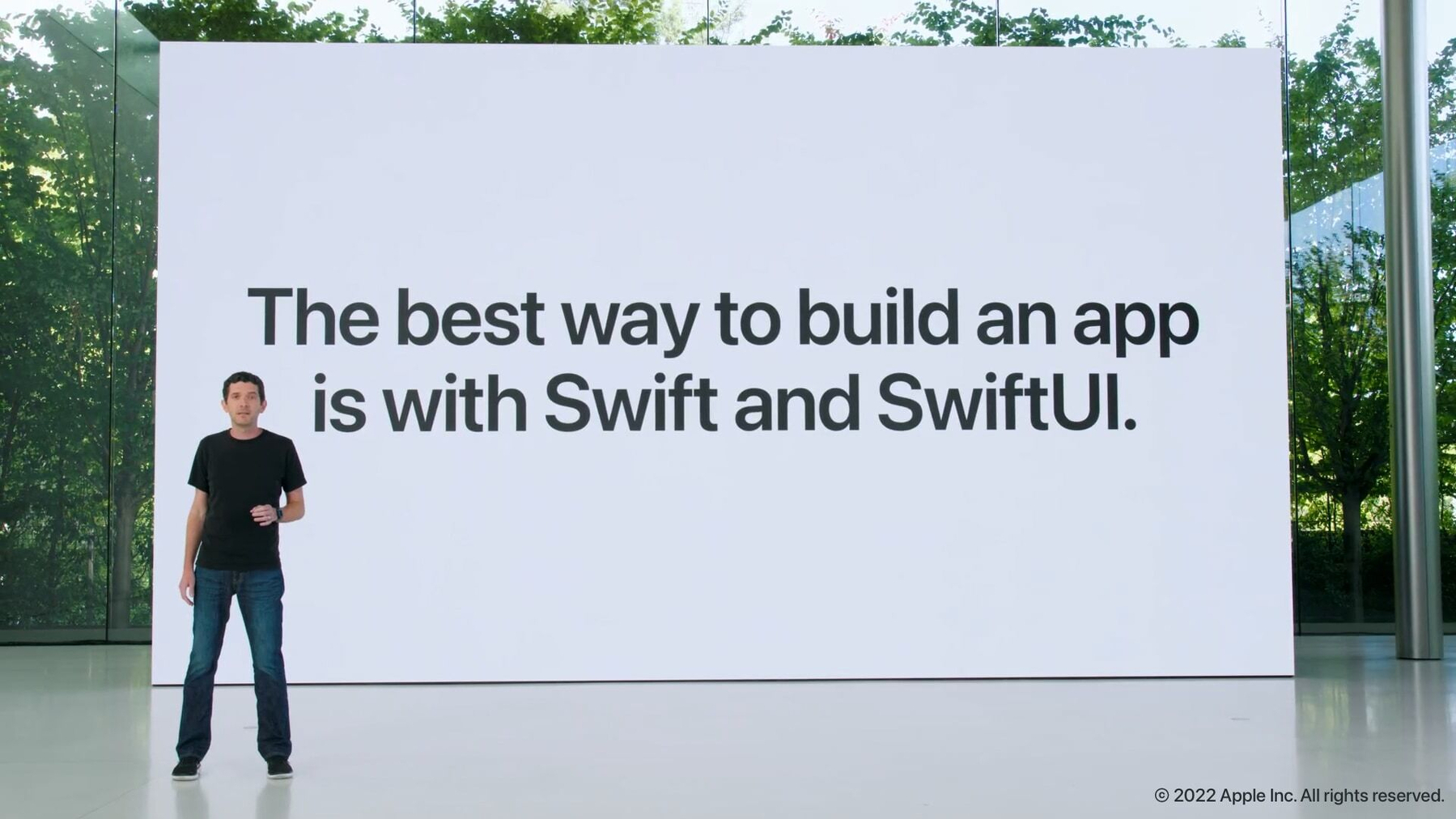
I want to use the new things. I want them to work the way Apple advertises. I want to believe that “The best way to build an app is with Swift and SwiftUI.” I saw that at WWDC so it must be true. Apple is also shipping Apple Intelligence and the new Siri any day now.
I don’t wear rose colored glasses. I know things weren’t always perfect. My problem is I want them to be better. To approach the promises made.
In the financial sector you often see the disclaimer that past performance does not guarantee similar results in the future. This becomes more true every year with Apple.
I’ve written software for a long, long time. I’m not getting any younger. I don’t want to wait another three years for Apple to add a few more features to MapKit. I don’t want to compromise my vision for my app because the frameworks don’t allow it.
If I’m being honest I don’t want another WWDC wasted (my opinion) on AI crap and the Vision Pro. My vision for applications is based on what was once Apples vision. I’d like to use their promising new frameworks to create apps that realize that vision. Is that too much to ask?
I want SwiftUI to be so much more than it is currently. I want to make real Mac apps with it. I don’t want an iPad app in a Mac wrapper. I love iPad apps (on my iPad.) I want to make great SwiftUI apps for iPad, iPhone, tvOS (I’ve built many of those) even WatchOS and sure Vision Pro one day, I guess.
I want to use the “best way to create apps.” I want that to be Swift and SwiftUI.
